There is no single best IPTV service that works for everyone. The right pick depends on what you actually watch, how many screens you need, and what you are willing to spend. This guide walks you through how to evaluate providers, match a service to your household, and start streaming without regret.
Quick answer: what is the best IPTV service for you right now?
The best IPTV service provider in 2026 is the one that matches your viewing habits, devices, and budget. No single provider wins across every category, so the real question is which type of service fits your home. Here is how common viewer profiles typically line up:
-
Sports-heavy households often gravitate toward services with strong live sports rights and regional sports networks, such as FuboTV or DIRECTV Stream, where live channel reliability during games matters most.
-
Families wanting local stations plus entertainment tend to prefer full live TV bundles like YouTube TV or Hulu + Live TV, which cover major broadcast networks in most markets.
-
Budget-minded viewers who watch mostly scripted shows or lifestyle content can save significantly with entertainment-focused services like Philo or Frndly TV, trading away sports and locals for a lower bill.
-
International households looking for channels in multiple languages need providers with regional lineups and strong device and app support across smart TV platforms and mobile.
-
Many-screens homes where three or four people watch simultaneously need providers that allow multiple connections without charging heavy per-device fees.
BestIPTV.blog is an editorial comparison site. We do not sell IPTV subscriptions or operate any streaming service. Our job is to help you evaluate providers based on what actually matters: reliability, content rights, device compatibility, and support – not just low prices or inflated channel counts. The sections below help you match your specific situation to the right type of service.
IPTV basics: what an IPTV service is (and what it isn’t)
IPTV stands for internet protocol television. Instead of receiving TV signals through a cable box, satellite dish, or antenna, IPTV services stream content over the internet directly to your devices. IPTV boxes and apps transmit content over your home network, which makes the technology more flexible and device-friendly than traditional cable.
Here is what you get inside a typical IPTV subscription:
-
Live TV – real-time streaming of channels including news, sports, and entertainment channels, just like cable but delivered over the internet.
-
Video on demand (VOD) – a library of movies and series you can watch whenever you want, similar to Netflix.
-
Catch-up TV – the ability to replay recent programs you missed, often covering the past several days.
An IPTV service provider is the company supplying the channels, VOD content, and server infrastructure. An IPTV player or app (like IPTV Smarters or TiviMate) is separate software that renders streams from that provider. The provider must hold content rights; the player is just a tool.
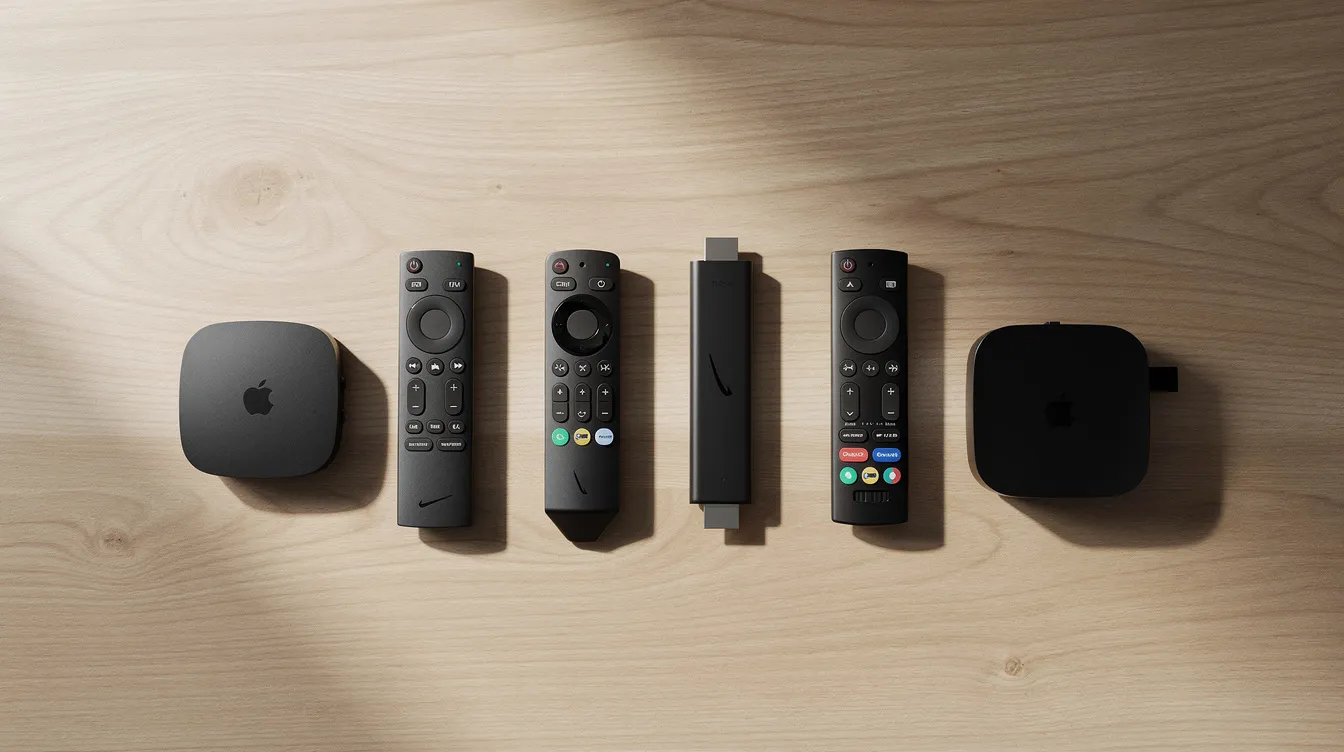
Typical devices people use include Fire TV and Firestick, Android TV boxes, Apple TV, smart TV apps on Samsung and LG sets, phones and tablets on both Android and iOS, and browsers on PCs and laptops. This guide discusses legal IPTV services and does not provide or endorse unauthorized streams or bypass methods.
Streaming quality ranges from SD (480p) through full HD (1080p) to 4K. High-resolution streaming capabilities in HD and 4K require stable internet connections – generally 5–10 Mbps for a single 1080p stream and 25 Mbps or more for 4K. Your home network quality, router placement, and whether you use wired or wireless connections all affect the experience.
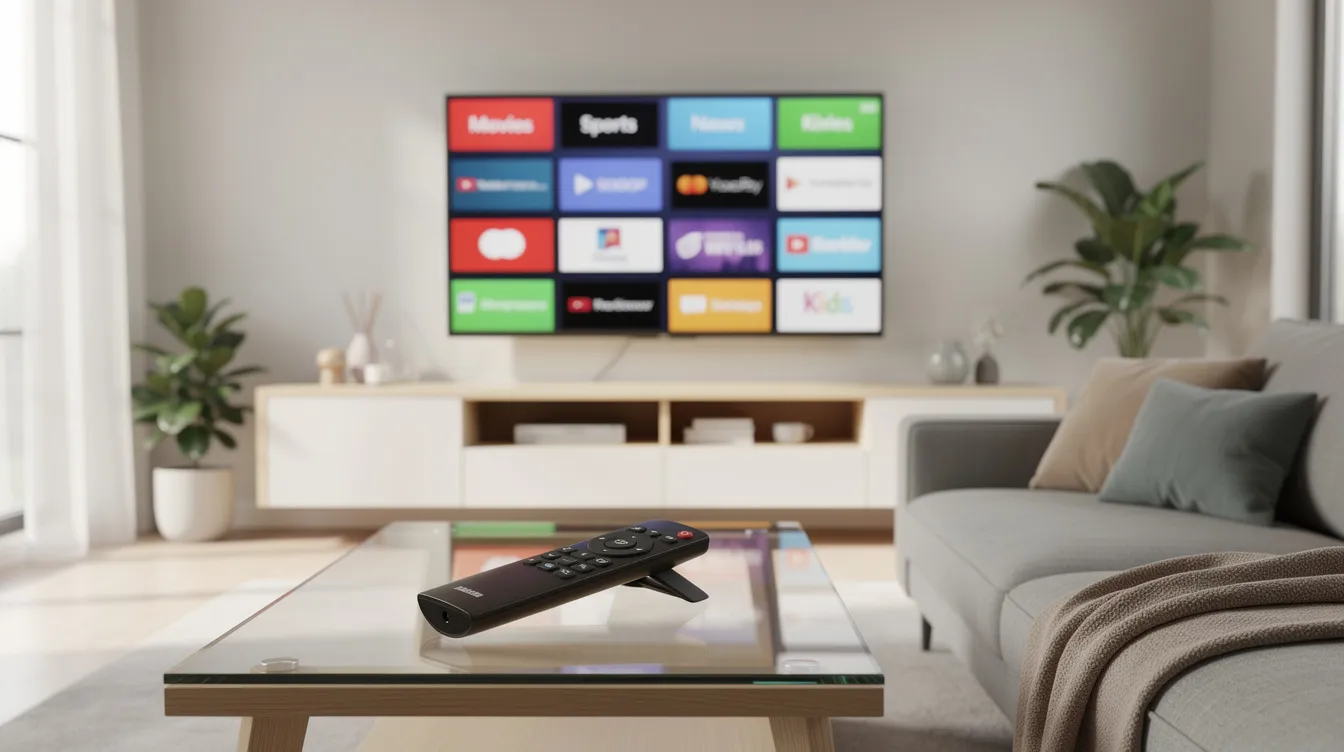
How to evaluate the best IPTV services in 2026
Choosing the best IPTV provider is mostly about fit and reliability, not raw channel count. Key features to evaluate in any IPTV service include channel variety, VOD offerings, and streaming quality. Here are the criteria that matter most:
-
Content – Does the service carry the live channels you actually watch? Check for sports networks, local broadcast stations, news, kids’ programming, and the depth of the movies and series library.
-
Geographic focus – Some providers focus on USA content while others specialize in UK, Canadian, European, or international channels in multiple languages. Confirm that your region’s locals and your preferred international entertainment are included.
-
Device compatibility – Verify support for your streaming device, whether that is a Firestick, Android TV box, Apple TV, smart TV, or mobile app. Device compatibility is essential for streaming on devices like Fire TV, Android TV, and Smart TVs.
-
App and interface quality – Look for a clean electronic program guide, search functionality, favourites, profiles, and parental controls. Advanced features like cloud DVR or pause-and-rewind on live television add real value.
-
Streaming quality and stability – Check whether HD and 4K streams hold up during peak hours and live sports events. Mainstream IPTV streaming services generally guarantee uptime and smooth performance compared to independent sites. Anti-buffering technology is used by some providers to maintain streaming quality during high-traffic events.
-
Plan structure and connections – Evaluate the number of simultaneous streams allowed by the service. A household with one connection may work for a single viewer, but most people with families need two or three. Compare monthly versus annual pricing and look for services that offer trial periods before committing.
-
Customer support – Setup guides, live chat or email support, and self-help resources matter, especially for viewers who are less comfortable with technology.
-
Transparency and legality – Does the provider clearly explain what content is licensed? Are terms of service published? Providers with no visible company info, no published acceptable-use policy, and promises of tens of thousands of channels for a few dollars are red flags.
Consider pricing and streaming quality together. A sports fan in New York needs reliable HD or 4K for regional sports networks like MSG and YES, low latency during live games, and enough simultaneous streams for the household. A bilingual household in London wanting UK, Indian, and Arabic channels needs a provider with those regional lineups, foreign-language VOD, and apps that work on their smart TV and mobile devices. Choose an IPTV service based on your content preferences and verify current details on the official provider site before subscribing – plans, channels, and device support change frequently.
Household types: matching the best IPTV setup to your home
Rankings of best IPTV ignore the fact that different households need different setups. Here are profiles to help you find yours.
Local-sports home. You follow local pro and college teams and watch regional sports networks regularly. You need a service that includes your city’s ABC, CBS, NBC, and FOX affiliates plus RSNs, with reliable picture quality during live sports. DirecTV carries the most regional sports networks of any major provider. Two to three simultaneous streams cover the living room TV and a tablet. YouTube TV offers a Sports + News plan for $71.99 per month if you do not need the full entertainment lineup.
Sports-and-news home. You want wall-to-wall sports plus breaking news channels like CNN or Fox News. YouTube TV’s main plan costs $82.99 per month and includes unlimited cloud DVR, which is valuable for a sports fan who cannot always watch live. Sling Orange plus Blue costs $60.99 per month and covers a wide range of sports and news networks at a lower price, though it skips some locals.
Family with kids. You need entertainment channels, a VOD library of movies and kids’ content, and parental controls. Live sports may be less important. Philo’s subscription ranges from $25 to $33 per month, making it a good deal for families focused on entertainment and lifestyle channels without paying for sports.
Light viewer. You watch a few news programs or shows per week and do not need dozens of live channels. Free legal IPTV options like Pluto TV and Tubi provide ad-supported content without subscriptions, and pairing one of these with a low-cost paid service covers most people in this category.
Older viewer. Ease of use matters most. A user-friendly interface, reliable support, and a pre-configured app on a smart TV or Firestick reduce frustration. Stability and clear picture quality at 1080p are more important than 4K or advanced features.
Many-screens home. Multiple viewers watching different things at the same time. You need a provider that allows three or more simultaneous connections and has strong server infrastructure. Some providers charge extra cost per additional screen, so factor that into your budget.
No one IPTV provider is always cheapest or universally best. Every choice involves trade-offs between sports coverage, channel count, device support, and cost.

Device compatibility: getting the most from your IPTV subscription
If your service does not run smoothly on your devices, even the best IPTV provider will feel unsatisfactory. Here is what to know about each device category:
-
Android TV boxes and Google TV sticks – Popular options include the Nvidia Shield and budget sticks like the Onn 4K. They support sideloading and most IPTV players. Great flexibility, but generic boxes sometimes have firmware quirks.
-
Fire TV and Firestick – Many streaming apps and IPTV players are optimized for Fire OS. IPTV Smarters and similar players install directly. Sideloading is sometimes needed for less mainstream services.
-
Smart TVs (Samsung, LG) – If the provider has a built-in app in the TV’s store, setup is simple. If not, connecting an external streaming device like a Firestick or Android box is usually the better path.
-
Apple TV, iPhone, iPad – Apple devices require apps published in the App Store. Fewer IPTV players are available compared to Android, though AirPlay can bridge the gap. Check whether any provider you consider supports tvOS.
-
Dedicated IPTV boxes – The Formuler Z8 supports 4K resolution and HDR, making it a strong choice for viewers who want premium picture quality from a purpose-built box. The MAG 324 IPTV box supports up to 1080p resolution and is a solid mid-range option. The MAG 322 IPTV box can handle up to 100 Mbps, suitable for standard HD streaming. The BuzzTV XR4000 features customizable remote control settings, which power users appreciate. The Dreamlink T2 supports HDR and 4K output. These dedicated boxes are lightweight and built for IPTV but have a smaller app ecosystem than Android TV boxes.
-
PCs and laptops – Stream via browser-based players or desktop IPTV apps. Useful for travel or workspace viewing but more dependent on browser and OS limitations.
Using a high-quality dedicated media player improves the overall IPTV streaming experience. Always confirm with your IPTV service provider that your chosen device and app type are officially supported before buying a long-term plan.
Popular IPTV apps and players (TiviMate, IPTV Smarters, and more)
IPTV apps and players do not provide content themselves. They play streams from your IPTV provider using protocols like M3U playlists or Xtream Codes. Independent IPTV providers use M3U playlists or custom portals for streaming, and the player is what renders those streams on your screen. IPTV players are legal as they do not host content themselves – legality depends entirely on the IPTV service being used.
IPTV Smarters (and IPTV Smarters Pro) is widely used on Firestick, Android TV boxes, mobile devices, and more. IPTV Smarters supports installation on multiple devices including Roku. It handles M3U and Xtream Codes sources, offers an EPG, user profiles, and works for most people who want a straightforward setup.
TiviMate is a premium Android TV player popular with power users. TiviMate offers scheduled recordings and customizable TV Guide features, multi-playlist support, and advanced channel grouping. An electronic program guide (EPG) helps viewers navigate current and upcoming programs effectively, and TiviMate’s EPG implementation is among the most polished available.
Other notable players: XCIPTV is a free IPTV player compatible with Fire TV and Android TV. MYTVOnline3 is designed specifically for Formuler Android TV boxes. Smart IPTV, Perfect Player, and OwnTV each serve different niches – some are lightweight for low-powered boxes, others offer more customization.
IPTV players provide user-friendly interfaces for streaming content. Beginners wanting a simple live TV grid may prefer IPTV Smarters or Smart IPTV. Power users who want recording, multi-view, or most features in channel management lean toward TiviMate. Apple TV users are limited to what is in the App Store or AirPlay.
Some players are free; others charge a one-time license or subscription fee separate from your IPTV subscription cost.
Pricing, trial periods, and IPTV subscription terms
IPTV services typically sell access in monthly, quarterly, semi-annual, or annual blocks. Longer commitments usually reduce the effective monthly cost, but they also increase your risk if the provider changes channels or has reliability problems.
Here is how pricing generally works:
-
Monthly vs annual discounts – A monthly plan gives you flexibility to cancel. An annual plan might save 20–40% per month but locks you in. If a provider loses channel rights six months in, that upfront payment is gone.
-
What “connection” means – One connection equals one stream at a time. A household with multiple TVs or viewers watching different channels simultaneously needs more than one connection. Some providers tier their plans by connection count at extra cost.
-
Free trials and test periods – Many licensed services offer a free trial, sometimes seven days. Some independent providers offer 24-hour or 36-hour test lines. Always check dates, conditions, and whether a credit card is required.
-
Red flags – Extremely low-priced offers promising thousands of live channels with lifetime access for a few dollars are a reliability and legality red flag. Licensed providers cannot offer lifetime access because content rights are renegotiated periodically.
IPTV options generally fall into two categories: legal services and independent providers. Legal IPTV services operate via official apps and cable-replacement licenses. Independent IPTV services operate outside traditional app stores and may use side-loading apps. Legal IPTV services offer stability, customer service, and security compared to independent providers.
Always read the subscription terms, renewal rules (check for automatic renewal), cancellation steps, and refund policies before paying.
Legal and privacy considerations with IPTV services
IPTV itself is a neutral technology. IPTV is legal if it does not violate copyright laws. Legality depends entirely on whether the IPTV provider has rights to the channels and content it distributes. Independent IPTV providers often operate in a legal gray area regarding content distribution, and IPTV legality exists in a complex gray area overall.
-
Licensed providers – Services like YouTube TV, Sling TV, Hulu + Live TV, and FuboTV pay networks for broadcast rights. You can usually verify this: if a service shows up as a “TV provider” option inside apps for ESPN, FOX Sports, or CNN, it holds legitimate licensing.
-
Unlicensed providers – Services with no published company info, no visible licensing, and massive channel lists for very low prices are almost certainly restreaming without permission. Illegal IPTV services can lead to serious legal trouble. Governments monitor users streaming copyright content, and enforcement is increasing globally.
Look for clear ownership information, published terms of service, and standard payment methods on any provider’s site. Laws and enforcement vary by country; this article is not legal advice – check your local regulations.
Privacy: Your ISP can see your traffic patterns when you watch live TV over the internet. Using a VPN can protect your identity while streaming and may help prevent ISP throttling. However, a VPN does not make illegal streaming legal. Only access content you are authorized to watch. Also note that using a VPN may violate some provider terms, so check before enabling one.
Network setup, buffering, and getting smooth live TV
Many complaints about IPTV services are actually home-network or device issues, not provider problems. Here is how to set yourself up for smooth streaming:
-
Speed guidelines – For a single HD stream, aim for 5–10 Mbps of stable bandwidth. For 4K, target 25 Mbps or more. If multiple people in your home are streaming simultaneously, multiply accordingly.
-
Wired beats wireless – Ethernet connections to your Android TV box or dedicated IPTV box reduce buffering and latency compared to WiFi. If wired is not practical, use the 5 GHz band on your router and position it centrally.
-
Reduce background usage – Pause large downloads, limit other 4K streams in the house, and close VPNs on devices that do not need them during peak viewing.
Quick troubleshooting steps:
-
Test your internet speed at the device itself, not just your phone.
-
Reboot your modem, router, and streaming device.
-
Try a different IPTV player app before assuming the service is at fault.
-
Check whether your ISP is throttling streaming traffic during certain hours.
No setup will fully eliminate buffering on every internet-based service, but these steps significantly improve typical performance.
Where BestIPTV.blog fits in: our role and how we compare IPTV providers
BestIPTV.blog is an editorial IPTV education and comparison site. We do not own or operate any streaming service, and we do not sell subscriptions. Our research draws from official provider documentation – plan pages, channel lists, setup guides, and support articles. When we quote features or stats, we note when those details were checked, because services change offerings regularly.
Any affiliate relationships or sponsored placements are clearly disclosed in individual reviews. Our focus is on explaining IPTV terminology for new cord cutters, helping viewers compare live TV and on-demand content libraries, providing device setup guides, and offering checklists of questions to ask any IPTV provider before subscribing. Use our comparison guides as a starting point, then confirm all specifics – price, channel list, device compatibility – directly with providers.
Step-by-step: how to start with an IPTV service safely
Getting started does not have to be complicated. Here is a straightforward workflow:
Step 1: Decide what you watch most. List the channels and content types that are essential – live sports, news, kids’ programming, premium series, international channels. Also inventory the devices you own.
Step 2: Shortlist two or three IPTV providers. Use the evaluation criteria above to narrow your search. Check whether each provider supports your region and devices. For most people, starting with well-known licensed services is the safest path.
Step 3: Check legal status, terms, and trial options. Look for a free trial or short test period. Read the refund policy. Avoid long commitments initially – a monthly plan lets you walk away if the service does not work perfectly for your household.
Step 4: Set up your device. Install the provider’s app or a compatible IPTV player such as IPTV Smarters on your Firestick, Android TV box, Apple TV, or smart TV. If the provider uses M3U or Xtream Codes, enter those credentials in the player and sync the EPG.
Step 5: Activate and organize. Once your IPTV subscription is active, organize your favourites, set up profiles if supported, and explore the on-demand content library alongside live channels.
Step 6: Test before committing. Watch at different times of day – especially evenings and during live sports – for at least a few days. Check picture quality, buffering, and whether the app is user friendly on your device. Only after you are satisfied should you upgrade to a longer-term plan or add more connections.
The best IPTV service is the one that reliably delivers the content you care about, on the devices you use, at a price that makes sense for your household. A cautious, informed approach beats chasing the cheapest “unlimited channel” deal every time. Start small, verify what you are getting, and scale up from there.
Service information
Promotional links: If you are considering an IPTV service, review current information from GreatestIPTV or StrimoIPTV. Confirm availability, device compatibility and terms directly with the provider before choosing a service. These links are promotional, not an independent recommendation or verification of the provider.
Leave a Reply