BBC iPlayer: How It Works, Where It’s Available, and What to Watch
BBC iPlayer is the BBC’s official online streaming and catch-up service, giving viewers in the UK access to live TV channels, on-demand programmes, radio, and films – all without a separate subscription fee. If you’ve ever wondered how to watch live BBC TV online, catch up on a series you missed, or figured out why “Sorry, BBC iPlayer isn’t available in your region” keeps appearing on your screen, this guide covers everything you need to know.
BestIPTV.blog is an independent streaming and IPTV education site. We are not operated by or affiliated with the BBC. Details like device support, content availability, and licensing rules can change, so we always recommend confirming current information on the official BBC iPlayer site.
Core features at a glance:
-
Live streaming of BBC TV channels
-
On-demand catch-up episodes and exclusive box sets
-
Downloads on supported mobile and tablet devices
-
User profiles with viewing history and recommendations
-
Parental controls and age-appropriate content settings
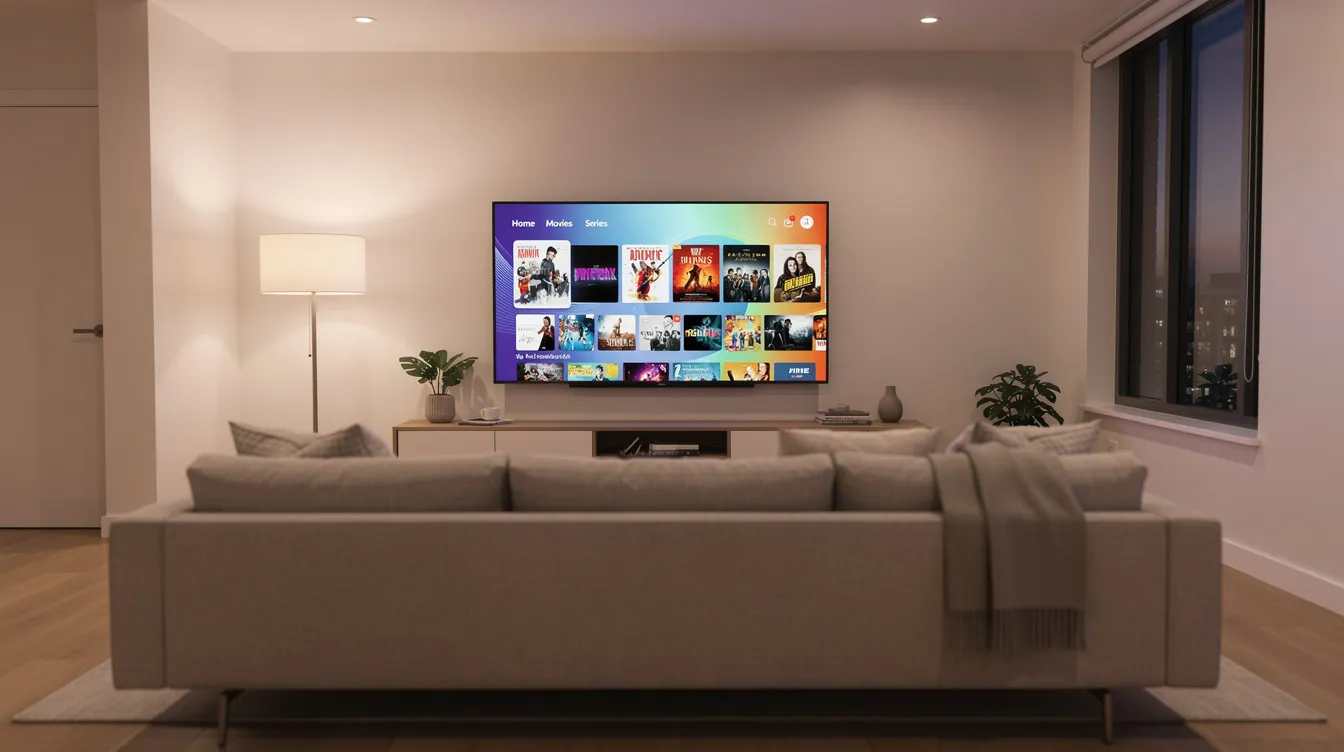
What you can watch on BBC iPlayer
BBC iPlayer offers a broad content library that spans drama, comedy, documentaries, news, sport highlights, children’s TV programmes, and films. Whether you want a gripping crime series or a Saturday night entertainment show, there’s usually something relevant in the catalogue.
Most BBC TV programmes appear on iPlayer shortly after broadcast. While some box sets and series remain available for longer periods, most programmes are available for seven days after broadcast, with many extended to around 30 days depending on rights agreements. BBC iPlayer also includes exclusive content not aired on traditional TV, giving the platform its own on-demand identity.
Flagship BBC brands you’ll find include Strictly Come Dancing, Doctor Who, Line of Duty, Match of the Day, Panorama, and Bluey, along with a full range of CBBC and CBeebies content for younger viewers. BBC iPlayer allows users to watch live television, on-demand catch-up, and exclusive box sets all in one place.
Users can filter TV series by genre and ratings to narrow down what they want. You can explore the BBC catalogue within iPlayer using categories like Drama, Comedy, Kids, Factual, and Box Sets, or use the search bar and curated collections to find something new.
Keep in mind that some content is limited by rights – many acquired films and imported series may not appear on iPlayer at all, or may have a shorter availability window than BBC originals.
How to access BBC iPlayer (web and apps)
BBC iPlayer is free to access for viewers in the UK who hold a valid TV licence. You can use it through web browsers on a computer or via official apps on phones, tablets, and TV platforms.
On a desktop or laptop, visit the official BBC iPlayer website using a modern browser – Chrome, Edge, Firefox, or Safari all work on Windows and macOS.
On mobile and tablet, the BBC iPlayer app is available for:
-
iOS devices (iPhone and iPad) via the Apple App Store
-
Android phones and tablets via the Google Play Store
-
Amazon Fire tablets running Fire OS 6 or later
On TV platforms and streaming devices, iPlayer is supported on:
|
Platform |
Examples |
|---|---|
|
Smart TVs |
Samsung, LG, Sony and other major brands |
|
Streaming sticks/boxes |
Amazon Fire TV/Firestick, Roku, NOW devices, Apple TV |
|
Set-top boxes |
Freeview Play, Freesat, YouView, Sky Q/Glass, Virgin Media |
|
Game consoles |
PlayStation and Xbox families (where currently supported) |
To start watching, sign in with a BBC account. This lets you sync your favourite shows, resume playback across more than one device, and manage parental controls. The basic steps are straightforward: install the app or visit the site, create or sign into your BBC account, confirm your age and postcode (UK), and accept the terms including privacy and cookie settings.
Live TV on BBC iPlayer
Beyond catch-up content, BBC iPlayer offers live streaming of BBC TV channels alongside its on-demand library. BBC iPlayer offers nearly all BBC TV channels online, making it a practical option for viewers without a traditional aerial or satellite dish.
To find live streams, look for the “Live TV” or “Channels” area on the website or within the app. You’ll see a grid showing what’s currently broadcasting and what’s coming up next.
Live TV channels include BBC One, BBC Two, BBC Three, BBC Four, and CBeebies, plus BBC News, CBBC, BBC Scotland, and regional variants where supported. Live streams generally mirror broadcast schedules, including regional content for BBC One and BBC Two depending on your location.
Your internet connection quality directly affects the viewing experience. For smooth HD streaming, a broadband speed of roughly 5 Mbps or higher is recommended. Lower speeds may result in buffering or reduced picture quality.
Under UK law, watching live BBC TV on iPlayer requires a valid TV licence – even if you only stream online and don’t own a traditional TV set. A TV licence is required to view any iPlayer content, whether live or on demand.
BBC iPlayer availability and “Sorry, BBC iPlayer isn’t available in your region”
BBC iPlayer is only available in the UK. This restriction exists because the service is funded by the UK TV licence and because content rights agreements typically cover UK distribution only.
If you’re outside of the UK, you’ll see messages like “Sorry, BBC iPlayer isn’t available in your region” or similar text indicating the service is not available in your region. BBC iPlayer content is accessible only from UK IP addresses, and the platform checks your connection to determine your location.
It looks like you’re outside the UK if your IP address belongs to a non-UK range – this can also happen on corporate or university networks that route traffic through servers abroad. The BBC terms explicitly advise against using a proxy or VPN. If you’re in the UK and still seeing the error, the reason may be a VPN or proxy running in the background – please turn it off and try again.
An international iPlayer service launched in 2011 with limited content, but international versions of iPlayer offer limited content compared with the full UK version, and the scope of what’s available outside the UK remains restricted.
Radio content, podcasts, and some news clips from the BBC may have wider international reach, but TV programmes and live channels are generally restricted to UK IP addresses. The BBC is not responsible for the content of external sites that may claim to offer iPlayer access from abroad, and BestIPTV.blog does not provide routes to bypass these regional rules.
Account, sign-in, and TV licence requirements
BBC iPlayer requires both a BBC account sign-in and a valid TV licence for most TV use within the UK. Users can create a free BBC account to access personalised features and recommendations.
Setting up a BBC account involves:
-
Providing an email address and creating a password
-
Confirming via a verification link
-
Adding your date of birth and UK postcode (used to tailor regional content and age-appropriate settings)
Users must sign in with a BBC ID for non-children’s content. This BBC iPlayer requires a BBC ID for non-children’s content access, while children’s profiles have separate, simplified sign-in flows. Once signed in, the service enables personalisation – your watchlist, viewing history, and recommendations all sync across devices so you won’t miss where you left off.
A TV licence is required for all iPlayer content. This requirement started on 1 September 2016, covering live streaming, on-demand catch-up, and downloads. The current annual fee is approximately £180 for a colour licence. Users must acknowledge a warning pop-up about licensing before they can start watching, and the BBC may use account emails to trace licence evaders.
BestIPTV.blog does not offer legal advice. Viewers should check the official TV Licensing site for the latest rules, exemptions, and payment details.
BBC iPlayer features: downloads, subtitles, and accessibility
This section covers downloads, accessibility links, and viewing options that help different audiences use iPlayer effectively.
Downloads: On supported devices – typically mobiles and tablets running the BBC iPlayer app – users can download many programmes for offline viewing. The iPlayer app allows users to download programmes for offline viewing for a limited time, usually matching the programme’s online availability window. Not all content is downloadable; sports events, live music, and some films often lack a download option due to rights restrictions. Downloads are not available on a computer, Mac, or directly on TV devices.
Subtitles and audio description: BBC iPlayer offers extensive accessibility options, including subtitles and audio description. Most modern programmes include closed captions that you can toggle on and off via the player controls. Audio description is provided on selected shows for visually impaired users, and you can find audio-described content through filters or dedicated categories within the app.
Additional accessibility features include keyboard navigation, screen-reader-friendly layouts, contrast options, and dedicated help pages explaining accessibility tools. These accessibility links are available across BBC websites for users who need them.
The iPlayer also offers a pop-out radio player for listening to BBC radio stations while browsing other content. Users can adjust playback quality or choose lower resolutions if they have limited bandwidth or data caps.
Devices, platforms, and technical limitations
BBC iPlayer is widely supported, but device coverage and software requirements change over time. BBC iPlayer supports streaming on over 1,000 devices, and the BBC has stated support extends to more than 20,000 device types overall when accounting for model variations.
Major supported device groups:
-
Computers: Windows and macOS via modern browsers; some Linux distributions via compatible browsers
-
Phones and tablets: iOS (iPhone, iPad) and Android devices
-
Smart TVs: Samsung, LG, Sony, and other major brands with current firmware
-
Set-top boxes: Freeview Play, Freesat, YouView, Sky-connected devices, Virgin Media
-
Streaming devices: Amazon Fire TV/Firestick, Roku, Apple TV, NOW devices
-
Game consoles: PlayStation and Xbox families where currently supported
Older smart TVs and streaming sticks sometimes lose support when manufacturers stop providing updated apps or secure browsers. Before buying hardware solely for iPlayer, check the BBC’s “Supported devices” help page for the latest information.
BBC iPlayer introduced Ultra HD streaming for select shows, particularly major sporting events. Streaming quality ranges from SD to HD, and for some content, 4K – but this depends on device capability, connection speed, and programme rights.
DRM (digital rights management) is the technology BBC iPlayer uses to protect content. It controls how long downloads remain playable, which devices can access protected media, and prevents unauthorised copying. Viewers who rely on unofficial Android devices or uncertified IPTV boxes may find that official BBC apps are either unavailable or offer a limited experience compared with certified platforms.
Cookies, privacy, and personalisation on BBC iPlayer
Like most streaming services, BBC iPlayer uses cookies and data collection to make the service work and to personalise what you see.
|
Cookie type |
Purpose |
|---|---|
|
Functional |
Logging in, remembering volume, resuming playback |
|
Performance/analytics |
Tracking how the app or site is used to improve reliability |
|
Personalisation |
Tailored recommendations, “continue watching” rows, suggested programmes |
Some embedded third party content within BBC pages – such as maps, social embeds, or external video players – may set additional cookies from external sites. Users can manage and review preferences via the BBC cookie settings panels that appear when visiting the site.
The BBC uses your IP address, viewing history, and device information for services and try to deliver relevant content and enforce regional restrictions. Copyright 2026 BBC and related legal notices appear at the bottom of BBC pages, covering how content and data are handled.
BestIPTV.blog encourages readers to review the BBC’s latest privacy and cookies policies directly for up-to-date, authoritative information. The BBC is not responsible for the content of external sites, and the same applies to any third-party services you might use alongside iPlayer.
How BBC iPlayer compares with other streaming and IPTV options
BBC iPlayer is one piece of a wider streaming landscape that includes subscription services, free catch-up platforms, and IPTV providers. Understanding where iPlayer fits can help you decide what combination of services makes sense.
Key differences from subscription platforms:
-
BBC iPlayer is publicly funded through the TV licence – no separate subscription, no in-app adverts for UK viewers
-
iPlayer is only available in the UK, whereas services like Netflix or Disney+ operate globally
-
Content is exclusively BBC-produced or BBC-licensed, so the catalogue is narrower than multi-studio subscription platforms
IPTV services – including providers discussed on BestIPTV.blog – typically offer multi-channel line-ups from many broadcasters, broader international reach, and different pricing structures. These services and BBC iPlayer serve different needs, and many viewers in the UK combine iPlayer with other legal streaming options to cover US series, additional films, or sports leagues not broadcast by the BBC.
Before choosing any streaming or IPTV solution, weigh your content needs (UK TV versus international channels), legality in your country, device compatibility, and long-term costs. BestIPTV.blog does not provide routes to bypass BBC regional rules and instead focuses on helping readers understand legitimate, transparent options.
Troubleshooting common BBC iPlayer issues
Even with a well-developed platform, streaming problems crop up. Here are high-level troubleshooting tips for the most frequent issues.
Region errors: If you’re in the UK and see “Sorry, BBC iPlayer isn’t available in your region,” check whether a VPN, proxy, or smart DNS service is running on your device or router. Some corporate and university networks also route traffic through non-UK servers, which can trigger the block. Using a proxy or VPN is flagged by the BBC terms as a reason for access denial – please turn off any location-masking tools and retry.
Connection issues:
-
Buffering or low-quality video → check your broadband speed (aim for 5 Mbps or above for HD)
-
Streams failing to start → try switching from Wi-Fi to a wired connection, close background downloads, and restart your router and device
-
Persistent problems → test on a different device to isolate whether the issue is network-wide or device-specific
Sign-in problems: If you can’t sign in to your BBC account, look for “Need help signing in?” on BBC pages. Common causes include expired verification emails, incorrect passwords, or accounts that have been locked after repeated failed attempts.
Device incompatibility: Outdated app versions or unsupported smart TVs can cause the BBC iPlayer app to crash or refuse to load. You may need to update your device firmware, reinstall the app, or add an external streaming device if your TV’s built-in app is no longer supported. The BBC has indicated, for example, that some older Google TV devices will need updates by late 2026 or risk losing access.
The BBC’s official support pages, FAQs, and device-specific guides remain the best point of reference for step-by-step, up-to-date fixes. When in doubt, the information provided there will be more current and detailed than any third-party summary.
BBC iPlayer remains one of the most comprehensive free streaming platforms in the UK, covering everything from live broadcast channels to on-demand box sets and radio – all in one place, on a long list of supported devices. The key requirement is simple: hold a valid UK TV licence, access it from within the UK, and set up a BBC account to get started.
Before you start watching, confirm your device is on the supported list and your TV licence is current. If you’re exploring the wider world of streaming and IPTV options beyond BBC content, BestIPTV.blog publishes practical guides and comparisons to help you make informed decisions about the services that fit your viewing habits.
Service information
Promotional links: If you are considering an IPTV service, review current information from GreatestIPTV or StrimoIPTV. Confirm availability, device compatibility and terms directly with the provider before choosing a service. These links are promotional, not an independent recommendation or verification of the provider.
Leave a Reply