IPTV Smarters Pro: Complete Guide to Features, Devices, and Setup
IPTV Smarters Pro is one of the most talked-about IPTV player apps in the streaming world – but what it actually does, and what it does not do, trips up a lot of new users. This guide covers everything from device compatibility and installation to daily use, advanced settings, and troubleshooting, all written for real people who want clear answers before they commit to anything.
Quick Answer: How IPTV Smarters Pro Works in 2026
IPTV Smarters Pro is a software media player designed to organize and stream IPTV content. It is not an IPTV subscription, and it does not host or provide any TV channels or subscriptions on its own. Think of it like a remote control and TV guide that connects to a service you already pay for.
-
You add playlists using Xtream Codes API credentials (server URL, username, password) or an M3U URL from your IPTV provider. The app then organizes that provider’s data into categories such as live TV, movies, series, and catch up.
-
It displays an electronic program guide, video on demand content, and multi-screen options – but only when your IPTV subscription actually includes those features.
-
Users must acquire an IPTV subscription or playlist from a third-party provider to use the app. Without one, the app shows nothing.
BestIPTV.blog is an educational and guide site. We do not own, operate, or sell IPTV Smarters Pro, and we do not sell any “official” IPTV Smarters subscription.
-
The app itself is legal in most places – it is just a player, similar to VLC Player or Kodi. The legality of using IPTV Smarters Pro depends on the legitimacy of the content loaded into it and your local laws.
-
Always confirm that your IPTV provider holds proper content rights, especially for sports, pay-per-view, and premium channels.
What Is IPTV Smarters Pro?
IPTV Smarters Pro is an IPTV media player created by Tech Smarters Private Limited (formerly WHMCS Smarters) based in India. It reads your IPTV subscription details and presents live TV, VOD, and series in a polished, TV-like interface that feels familiar to anyone who has used cable or satellite.
-
Supports live TV channels organized by category, a VOD library of movies and series with poster art and metadata, favorites, and multi-screen viewing.
-
IPTV Smarters Pro includes a 7-day electronic program guide when the provider supplies EPG data.
-
Offers optional catch up and recording features where supported by the user’s IPTV subscription.
-
IPTV Smarters Pro supports M3U and Xtream Codes playlists, the two most common formats used by many providers worldwide.
The app does not contain or sell channels. You always need a separate IPTV subscription from a provider that gives you login credentials or a playlist URL. As of 2026, Smarters Pro is widely used on Android devices, Fire TV, smart TVs, PCs, and phones, and is often recommended to new IPTV users because of its simple, approachable interface.
Supported Devices: Where IPTV Smarters Pro Can Run
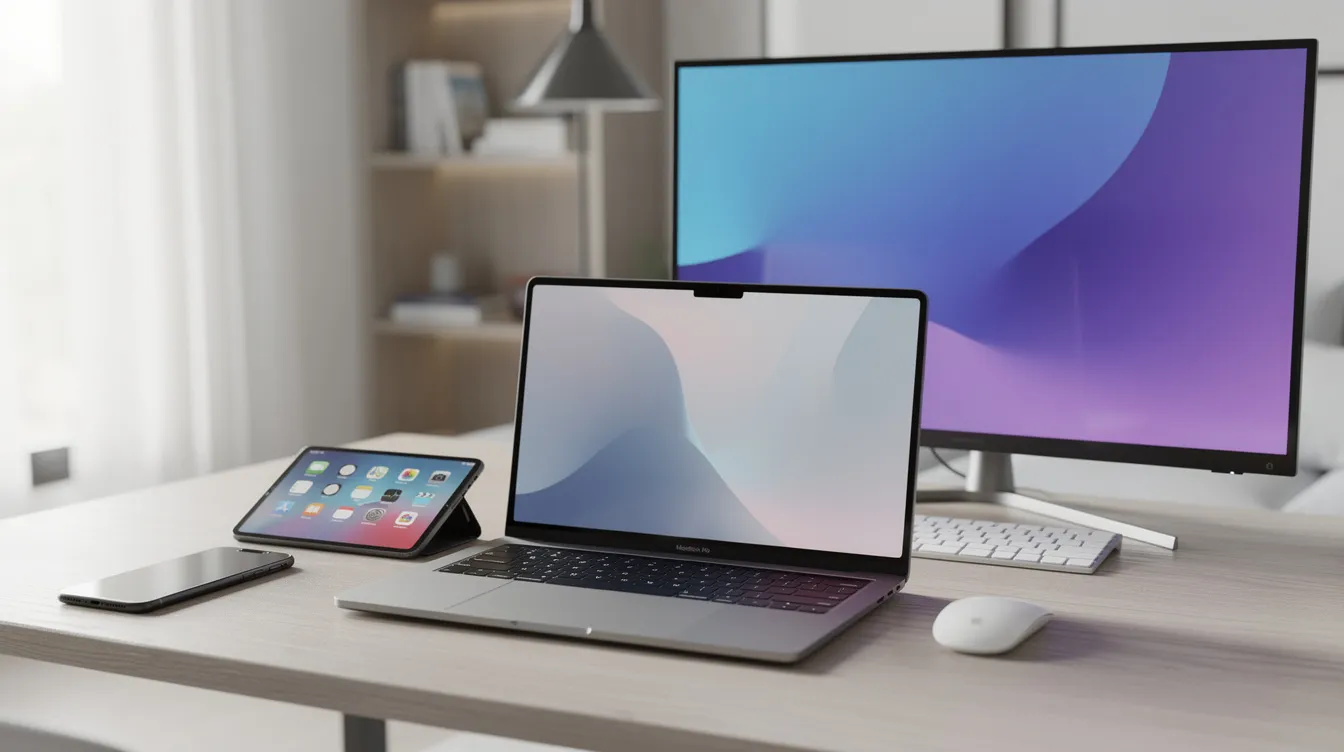
One reason IPTV Smarters is so popular is its availability across many platforms, from pocket-sized phones to big-screen TVs.
-
Android devices: IPTV Smarters Pro is available on Android devices including any Android phone, tablet, Android TV box, and Android TV set. Look for it on the Google Play Store where available, or download the official APK file from the developer’s site.
-
Fire TV: Supports Fire TV Stick, Fire TV Stick 4K Max, and Fire TV Cube. Installation sometimes requires sideloading because the app may not always appear in the Amazon App Store. Note that some newer Fire TV models running Amazon’s Vega OS do not allow sideloading Android APKs.
-
Samsung smart TVs: IPTV Smarters Pro is available on Samsung smart TVs running Tizen OS (generally models from around 2016 onward). Samsung Smart TVs require Tizen OS for Smarters Pro installation – search directly in the Samsung app store.
-
LG smart TVs: The app is compatible with LG smart TVs using webOS, though availability in the LG content store varies by region and model. LG support has been inconsistent, so check your store listing before counting on it.
-
Computers: Installation on Windows requires downloading the setup file from the official site. IPTV Smarters Pro can also be installed on personal computers with macOS. A web browser WebTV option exists as well for PC users who prefer not to install anything.
-
iOS / iPadOS: Smarters Player Lite is the version available for iPhone and iPad through Apple’s App Store, with some feature limitations compared to Android. Apple TV (tvOS) is also supported.
IPTV Smarters Pro works on Android, iOS, and Windows. It supports Fire TV, Android TV, and smart TVs. Exact availability in official stores – Google Play, the Amazon App Store, Samsung and LG stores – can change, so always confirm the current listing (checked November 2026). Android usually gives the most complete feature set and the most stable streaming experience.
How IPTV Smarters Pro Works With Your IPTV Subscription
The app is basically a “remote control and interface” that logs into your IPTV provider’s server and displays your content library. Without valid login details, it does nothing.
-
Xtream Codes API login: The most common method. You enter a server URL, username, and password provided by your IPTV provider. The app connects and pulls your channel list, VOD library, EPG, and catch up archives.
-
M3U / M3U Plus playlist: You paste a playlist URL or load an M3U file. This works for providers that do not use the Xtream Codes system. You can also manage multiple playlists if your household uses more than one IPTV subscription.
-
Local and test streams: Advanced users can load single-stream URLs or local media files for testing purposes.
Features like live TV, VOD, catch up, and the EPG guide depend entirely on what your IPTV subscription actually provides. The app simply exposes those features if present. EPG data is pulled from the IPTV server and can show several days of program schedules when available.
Multi-screen and recording features typically require an IPTV subscription with multiple connections. If your provider only allows one active stream, trying to watch two channels at once will fail. Check your provider’s terms before using many simultaneous streams.
Core Features: Live TV, VOD, Catch Up, and More
IPTV Smarters Pro aims to replicate a full cable or satellite experience with extra on-demand and control features – think sports nights, movie marathons, and international news all in one place.

-
Live TV: Browse live channels organized by category – sports, movies, news, international, and more. A mini EPG appears under each channel, and you can toggle between preview and full-screen playback. The channel list is generated from your provider’s feed.
-
VOD (Movies & Series): A neat grid of poster art with metadata, search functionality, and category filtering. “Continue Watching” style resume lets you pick up where you left off. The VOD library depth depends entirely on your provider.
-
Catch up: This feature allows users to watch earlier broadcasts on supported channels when their IPTV subscription includes time-shifted archives. Not all providers offer this, and archive depth (1 day, 7 days, etc.) varies.
-
Multi-screen: The app offers multi-screen viewing for up to four channels simultaneously on supported devices, but only if your IPTV subscription allows multiple connections.
-
Personalization: Favorites lists for channels, movies, and series. Recently added lists help you find new high quality content from your provider quickly. Playback controls include aspect ratio, audio tracks selection, subtitle toggle, preferred language options, and speed control for VOD.
-
Parental control: Users can implement parental controls on IPTV Smarters Pro to restrict access to certain content – useful for households with children.
-
Users can record live TV content with IPTV Smarters Pro when the subscription and device storage allow it.
Smarters Pro is regularly updated with new features, keeping the streaming experience current across platforms.
Free vs Premium Version: What “Pro” Really Means
There is a lot of confusion between “IPTV Smarters” and “IPTV Smarters Pro,” and between the app’s licensing and IPTV subscription pricing. Here is what matters:
-
“Pro” is the name of the current main app line from Tech Smarters, not an IPTV service and not a paid channel package. IPTV Smarters Pro is completely free on all platforms. IPTV Smarters Pro is free with no premium tier required for core functionality, though some versions offer an optional in-app upgrade (around $4.99) for extra layout options and external player support.
-
Buying any in-app upgrade does not give you channels, movies, or an IPTV subscription. You still need a separate IPTV subscription from a provider. IPTV Smarters Pro requires a separate IPTV subscription for channels.
-
On Apple devices (iPhone, iPad), the “Lite” variant – Smarters Player Lite – is available with reduced features. Smarters Pro supports iOS, unlike some competitors like TiviMate, and Smarters Pro has a simpler interface for new users.
-
Some IPTV services market themselves under names like “Pro IPTV Smarters.” These are separate businesses selling IPTV subscriptions, not the player app itself. For example, some providers advertise that Pro IPTV Smarters starts at $14.99 per month, a 24-hour trial for $1 is available for new users, and a 12-month plan costs $69.99, saving 61%. These are subscription prices for a specific IPTV service – not the app download cost. Always distinguish between the player app (free) and the IPTV subscription (paid, from a provider).
Installing IPTV Smarters Pro on Popular Devices
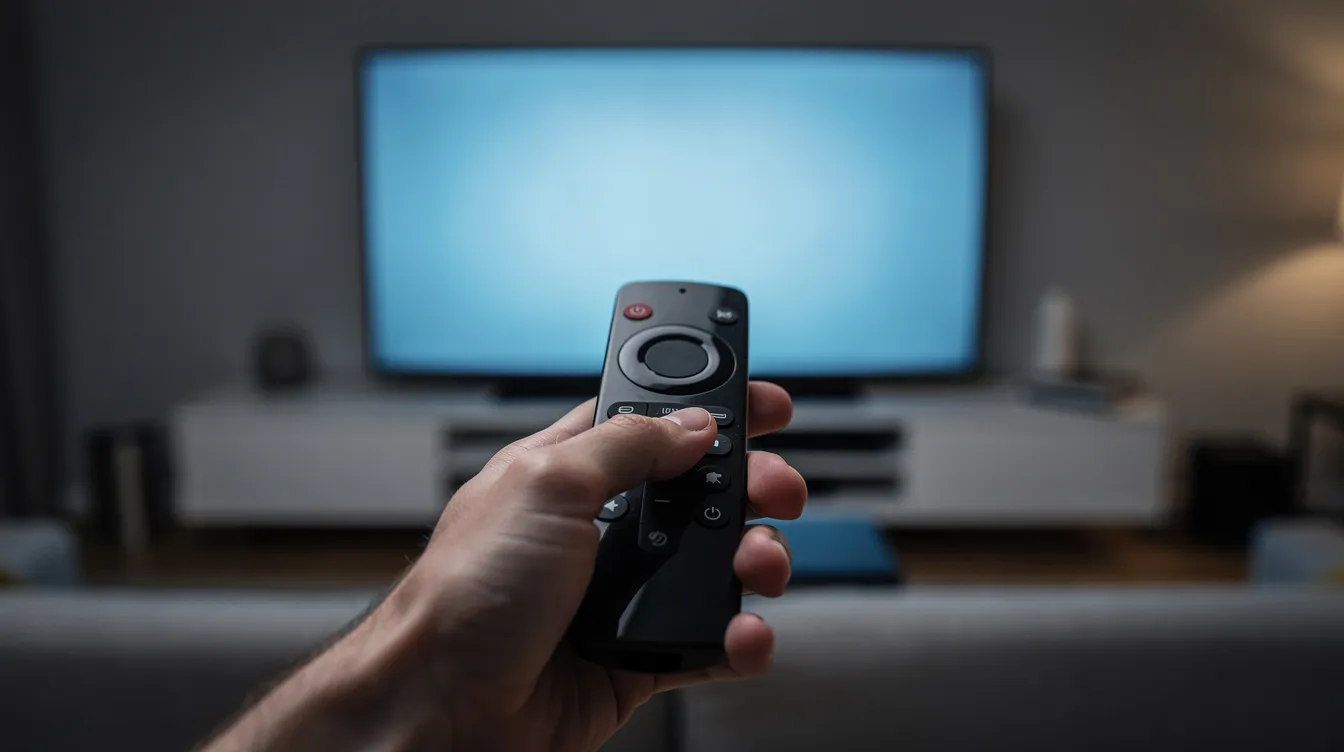
Installation steps differ slightly by platform, but all end with logging in using your IPTV subscription credentials – your login details from your provider.
-
Android devices: Search for IPTV Smarters Pro in the Google Play Store. If it is not listed in your region, download the official APK file from the developer’s website. You may need to enable “Install from unknown sources” in your device settings before installing the APK file.
-
Fire TV / Firestick: Check the Amazon App Store first. If unavailable, to install on Fire TV, use the Downloader app to sideload the APK file. Go to Settings, then the apps section, and enable “Apps from Unknown Sources.” Enter the official download URL in Downloader and follow the prompts.
-
Samsung / LG smart TVs: Search directly in the Samsung or LG content store for “IPTV Smarters” and install from there. You cannot sideload APK files on these TVs – the app must be available in the store for your model and region.
-
Windows and macOS: Visit the official IPTV Smarters website and download the installer (EXE for Windows, DMG for macOS). Run the setup process like any standard desktop app.
After installation on any device, open the app and select “Add User” to enter your Xtream Codes API credentials or M3U URL. The setup process takes under two minutes once you have your provider’s details in hand.
Never download modified or “cracked” APKs from untrusted sources. They may contain malware, compromise your device, or violate terms of use.
Using IPTV Smarters Pro Day to Day: Dashboard, Live TV, and VOD
Once you are logged in, the main dashboard is your home base. Here is what you will see and how to navigate it daily.
-
Dashboard layout: Sections for live TV, movies, series, live with EPG, multi-screen, catch up (when enabled by your provider), and settings. An account or profile area lets you switch between users if your household runs more than one IPTV subscription.
-
Upper controls: A date and time display, a search icon for master search across live TV, movies, series, and catch up, and profile switching for multiple playlists or accounts.
-
Live TV usage: Categories appear on the left side of the screen, live channels in the middle, and a mini EPG guide under each channel showing what is on now and next. Press OK or Enter to preview, then again for full-screen playback.
-
VOD browsing: A grid of posters organized by category. Use the search icon to find specific movies or series. Favorites and “Continue Watching” functionality make it easy to pick up anytime. On-screen playback controls cover audio tracks, subtitles, and aspect ratio.
On some devices, stability improves when Device Mode is explicitly set to “TV” in the app’s settings, even on an Android phone or tablet. This small change can fix random crashes and layout issues that sometimes appear on non-TV hardware.
Advanced Options: Multi-Screen, Recording, Players, and Settings
IPTV Smarters Pro includes advanced settings, but most users only need a few of them to solve common issues like buffering or unsupported video formats.
-
Multi-screen and connections: Multi-screen counts as multiple streams against your IPTV subscription’s “Max Connections” limit. If your plan allows two connections and you open four screens, two will fail. Check your provider’s “Active Connections” limit before using this feature.
-
Recording: You can start a manual recording of a live TV channel. Be aware that 1080p recordings can consume 5–10 GB per hour of storage. Always check both your connection limits and available device storage before recording.
-
Stream format: Toggle between MPEGTS (.ts) and HLS (.m3u8) if your internet speed is inconsistent. HLS generally handles unstable connections better.
-
External players: If 4K, HEVC, or high-frame-rate content stutters on the built-in player, switch to an external player like VLC Player or MX Player. You can set a different player per content type (live TV vs. movies vs. series).
-
Automation: Enable auto-update for live, movies, series lists, and EPG. Set subtitle defaults, preferred language, time format, and autoplay-next-episode for binge watching.
Note: some older versions of Smarters advertised a built-in VPN. This feature has been removed – use a separate, reputable VPN app if you need privacy or geo-unblocking.
Troubleshooting IPTV Smarters Pro: Common Issues and Fixes
Most problems stem from IPTV subscription or network issues rather than the app itself. Systematic checks usually solve them quickly.
-
“Connection failed” or no channels loading: Verify server URL, username, and password for accuracy – these are case-sensitive. Confirm your IPTV subscription is active and not expired. If channels still fail to load, delete and re-add user account in the app.
-
Buffering or freezing: Check internet speed; minimum 10 Mbps is recommended for HD streaming. Buffering issues may indicate a connection or server problem on your provider’s end. Try switching stream format from TS to HLS, or test on a wired connection instead of WiFi.
-
Missing EPG: If EPG is empty, manually update it in app settings under the EPG section. Confirm with your provider that their Xtream Codes or M3U feed actually includes EPG data. Allow several minutes after an update for the guide to populate.
-
App crashing: Set Device Mode to “TV,” clear cache and data, or reinstall from the official source. On older Samsung or LG smart TVs, reduce simultaneous streams or close other heavy apps running in the background.
IPTV Smarters Pro works only with a valid IPTV subscription and will show nothing without a playlist or Xtream credentials. When evaluating providers for use with Smarters, prioritize reliability, support, EPG quality, and catch up options over channel-count marketing alone.
Safety, Legality, and Choosing an IPTV Subscription for Smarters
BestIPTV.blog is an educational and comparison blog. We do not resell IPTV Smarters Pro or any “official” IPTV subscription tied to it.
-
IPTV Smarters Pro is a neutral player. It does not verify the legality of any IPTV subscription or stream. Responsibility lies with the user and the provider.
-
Always check local laws and copyright rules before streaming any content, particularly sports, PPV events, or premium TV channels. The world of IPTV regulation is evolving, and enforcement actions have increased in several countries during 2026.
When choosing an IPTV provider to use with Smarters:
-
Look for transparent terms, clear device support (Android devices, Fire TV, smart TVs, iOS, PC), and honest claims about uptime and quality.
-
Prioritize high quality content sources, realistic stream stability promises, and responsive support over exaggerated channel numbers.
-
BestIPTV.blog may review providers like GreatestIPTV and StrimoIPTV separately, always stating the check date for features like free trials, plan lengths, or refund policies. Readers should confirm current details directly with each provider.
Use IPTV Smarters Pro responsibly, and secure your connection with reputable security tools – including a separate VPN app if desired – instead of relying on any removed in-app VPN options.
Frequently Asked Questions About IPTV Smarters Pro
These answers reflect 2026 realities. App store availability and provider terms can change, so always verify before paying.
Is IPTV Smarters Pro itself free in 2026, and where is it listed? The app is free to download on Android (via the Google Play Store or official APK), iOS (as Smarters Player Lite in the Apple App Store), Windows, macOS, and Samsung smart TVs. Availability on the Amazon App Store and LG store varies by region. Checked November 2026 – confirm current listings yourself.
What is the difference between IPTV Smarters and IPTV Smarters Pro? “IPTV Smarters Pro” is the current main version of the player app. “Pro IPTV Smarters” marketing pages typically refer to separate IPTV subscription services, not the player app from Tech Smarters. Do not confuse the two.
Can I use it on all my devices with one IPTV subscription? You can install the app on as many devices as you like, but your IPTV provider’s “max connections” limit determines how many can stream simultaneously. If your plan allows two connections, only two devices can watch at the same time.
Can I use IPTV Smarters Pro without an IPTV subscription? Technically you can install it, but it will show nothing useful. Free public M3U lists exist online but are generally unreliable, low quality, and may carry legal or security risks.
Does it support catch up, recording, and multi-screen on every subscription? No. These features depend on what your IPTV provider offers. Smarters Pro allows multi-screen viewing for up to four channels, but only if your subscription supports multiple connections.
How do I add multiple IPTV accounts? Use the “Add User” option on the login screen. Each account can use different Xtream Codes API credentials or M3U URLs, and you can switch between them from the profile area. IPTV Smarters Pro supports multiple playlist formats like M3U and Xtream Codes.
Is there a built-in VPN? No. The in-app VPN section has been removed. If you need privacy protection or want to handle geo-blocking, install a separate, reputable VPN app on your device and connect it before opening Smarters Pro. The app is available on Android, iOS, and Windows platforms, so most major VPN apps will work alongside it.
Always double-check app store listings and your IPTV provider’s terms before paying for any subscription or seamless streaming service. When in doubt, start with a short trial plan and test on your preferred device before committing long-term.
Service information
Promotional links: If you are considering an IPTV service, review current information from GreatestIPTV or StrimoIPTV. Confirm availability, device compatibility and terms directly with the provider before choosing a service. These links are promotional, not an independent recommendation or verification of the provider.
Leave a Reply